A take needs an identity
When a director calls cut, the camera has recorded a file, but that file does not explain the scene on its own. An editor may later need to know which camera captured it, which take it belongs to and whether the crew noted a problem. Keeping those details attached to the footage is one of the less visible jobs on a film set.
Before a take, a slate can identify the scene, shot and take for picture and sound. Cameras and audio recorders also create their own file names and metadata. Those pieces of information are useful together, but they are not interchangeable: a file name identifies a recording, while the slate and production notes help people understand what the recording contains. Crews use consistent labeling so that material remains recognizable after it leaves the set.
The handoff from camera
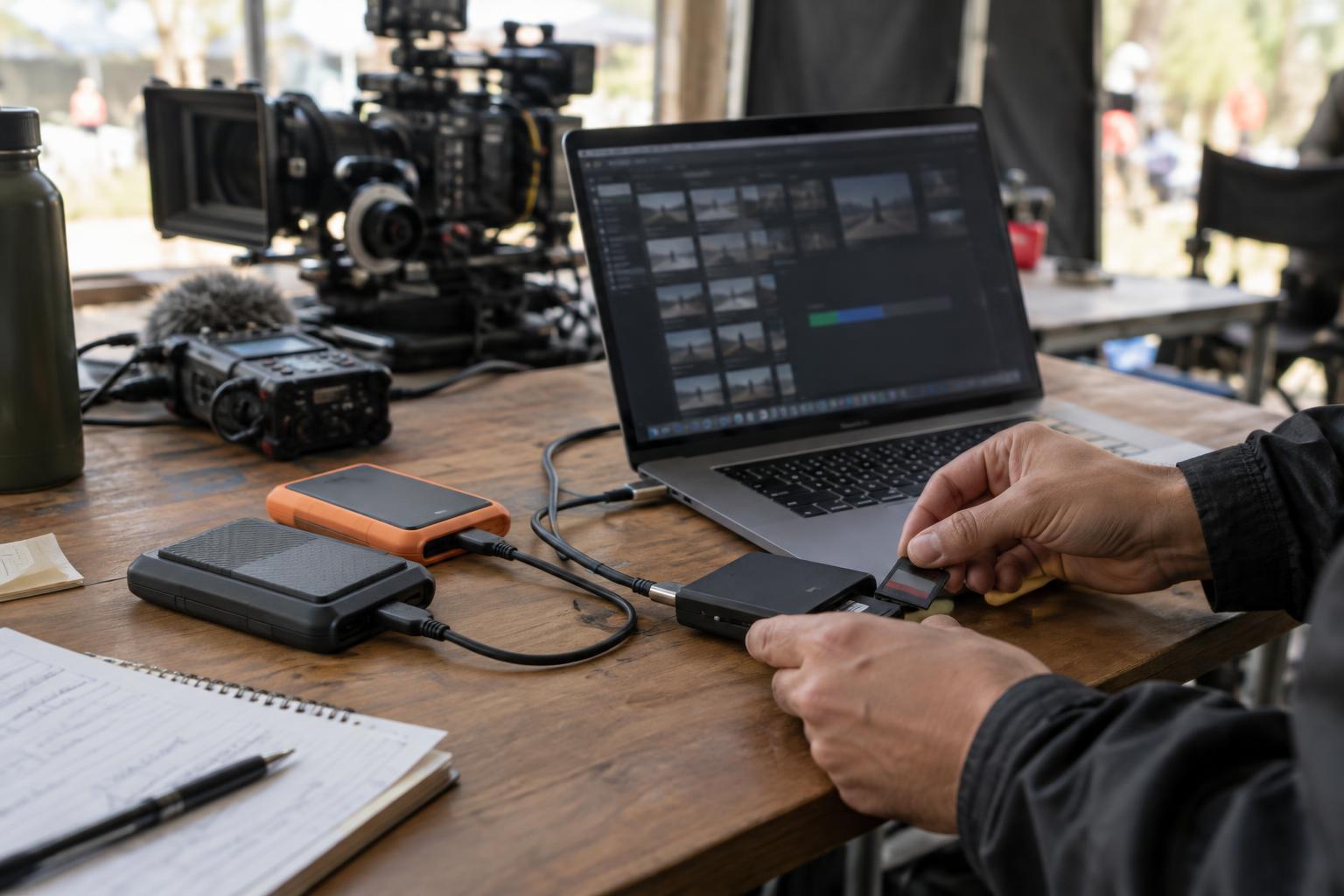
Digital cameras commonly record onto removable media. When a card is ready to leave the camera, its journey has to be deliberate. Depending on the production, a camera assistant, data manager or digital imaging technician may receive it and log where it came from. A card should not be treated as empty simply because someone has started copying it; the transfer and its checks need to be completed first.
The person managing footage copies the camera’s original files to designated storage while preserving the folder structure the camera created. Changing names or moving individual files too early can break the relationship between picture, metadata and associated files. Productions may use transfer software that compares the copied data with the original, often through checksums. That check helps confirm that a copy matches its source; it does not prove that the shot is in focus, properly exposed or the intended take.
Backups before a card goes back into use
A single copy leaves footage vulnerable to a drive failure, loss or accidental deletion. Production workflows therefore typically call for more than one verified copy, with copies kept on separate storage devices. The exact arrangement depends on the scale and needs of the shoot. What matters is that the team knows which copies exist, where they are and who is responsible for them.
Only after the required copies and checks are complete should a card be cleared for reuse under the production’s procedure. A transfer log makes that decision easier to track: it can record a card identifier, the files transferred, the destinations and the status of verification. This paperwork may seem distant from the creative work on set, but it prevents a hurried handoff from becoming an unanswered question in the edit.
Connecting picture, sound and set notes
Picture and sound may be recorded on separate devices. A visible slate and its clap give the editing team reference points for bringing them together, while recording metadata can offer another way to align material. Not every scene uses the same method: a documentary moment, a complex effects shot or a take without a usable slate may require closer attention during preparation for editing.
Set notes add context that files alone cannot provide. A report might identify a preferred take, a focus issue, an interrupted line or a change in performance. These notes do not replace an editor’s judgment; they help the editor navigate a large collection of recordings and understand why two apparently similar takes may differ. Keeping reports and media labels consistent makes that context easier to match to the right files.
Preparing material for the edit
The editing team needs footage it can find and play reliably. Depending on the project, the original camera files may be accompanied by smaller working copies, often called proxies. These can make viewing and cutting more manageable while the originals remain available for later finishing. The team also needs a clear way to link each working copy back to its source.
A good handoff is more than a drive arriving at the editing room. It includes a usable folder structure, verified media, sound files and the notes that explain what was filmed. The process can vary across productions, but its purpose stays the same: preserve what the crew captured and give the editor a dependable starting point for shaping a scene.